Introduction
A dynamic Wiki list is essentially an incomplete list and because it's incomplete, you can keep adding items onto it. A dynamic list searches through material on the site looking for tags that are relevant to the list. It then groups all of the wikis together in list form.
-
-
-
Click on the Edit button in the top-right corner on the Wiki home page.
-
-
-
Highlight the text that will be used for your header.
-
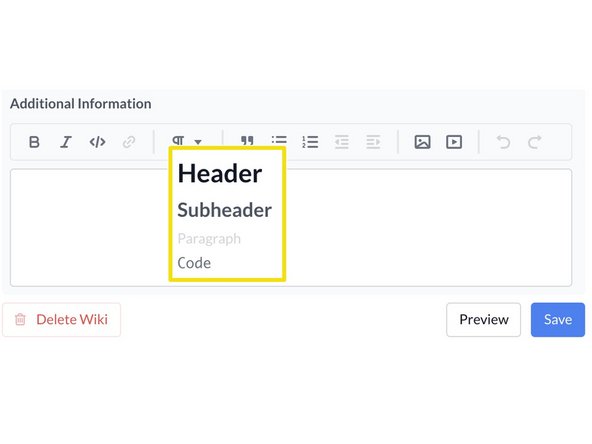
Click on the paragraph icon.
-
You can select header, sub header, paragraph or code.
-
-
-
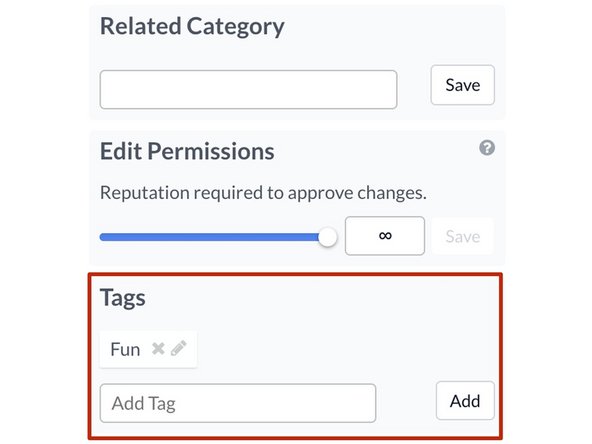
Link to a wiki by using the tags assigned to it.
-
The Tags section is on the bottom right-side of the Edit page.
-
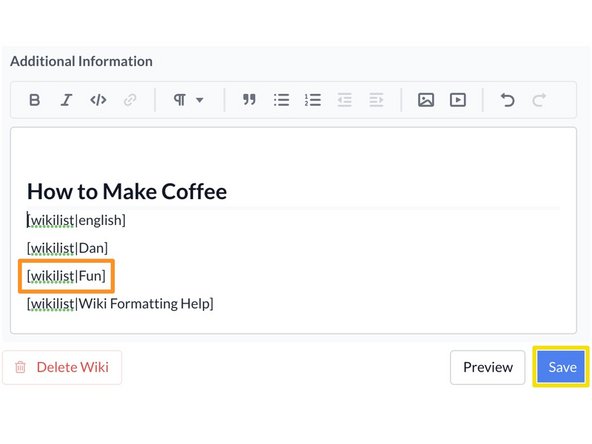
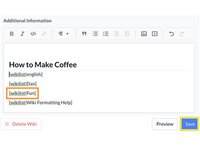
This is an example of the code you would use to create a dynamic Wiki list:
-
[wikilist|Fun]
-
After creating your list, click the Save button.
-
-




Finish Line