
How to Add Flags to a Guide

iRobot and 8 other contributors
Last updated on May 9, 2022
Views: 114
View statistics:
- Past 24 Hours:
- 0
- Past 7 Days:
- 0
- Past 30 Days:
- 0
- All Time:
- 114
Comments: 0
No one has left comments on this guide. Will you be first?
Go to guide commentsCompleted: 1 2
1 person has marked this guide "completed." Will you be next?
2 people have marked this guide "completed." Including you — great job!
Favorites: 2 3
2 people have favorited (and subscribed to) this guide. Will you be next?
3 people have favorited (and subscribed to) this guide — including you!
Introduction
Go to step 1 ↓This guide demonstrates how to add flags to a guide.
-
-
-
Navigate to the guide to which you want add a flag.
-
Click Edit in the top-right of the page, beneath the site header.
-
-
-
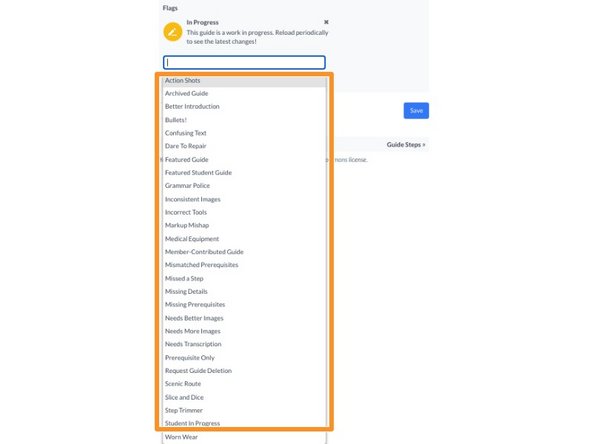
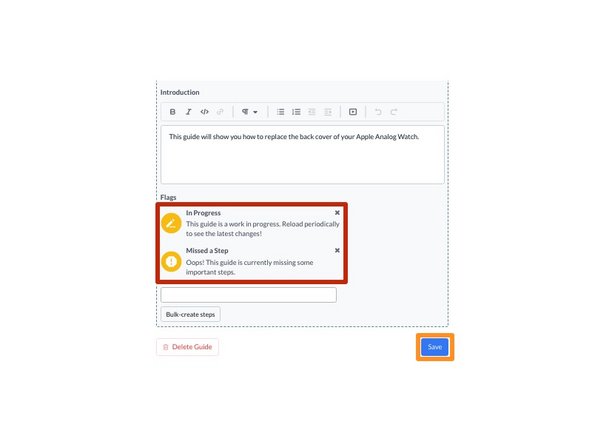
Click inside the Flags field near the bottom of the Introduction page.
-
Select a Flag from the drop-down menu.
-
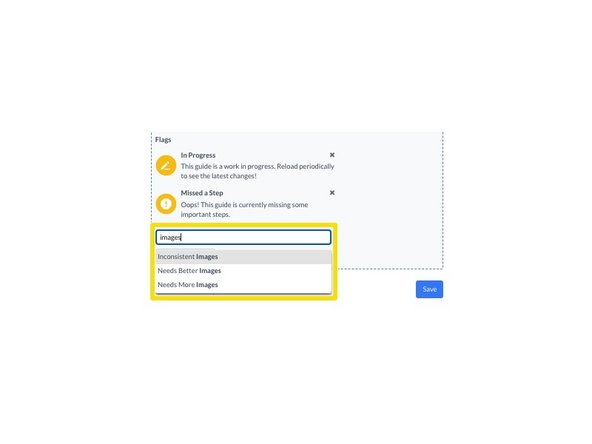
You can also type the title of the flag you need to narrow down the list.
-
-
-
Click View Draft in the upper-right of the page, beneath the site header.
-
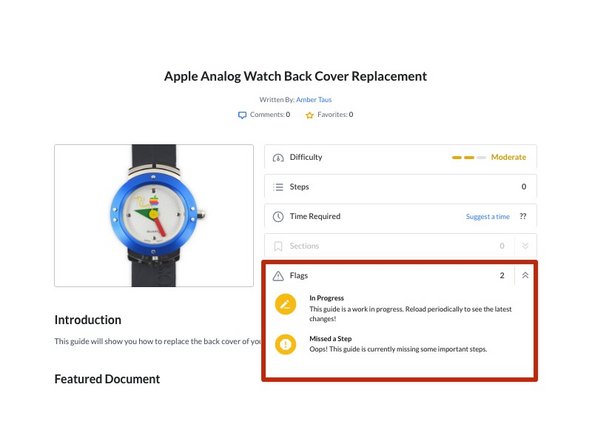
View your guide to see the Flag.
-
-




Cancel: I did not complete this guide.
One other person completed this guide.