How to Favorite a Guide

iRobot and 5 other contributors
Last updated on Mar 16, 2022
Views: 39
View statistics:
- Past 24 Hours:
- 0
- Past 7 Days:
- 0
- Past 30 Days:
- 0
- All Time:
- 39
Comments: 0
No one has left comments on this guide. Will you be first?
Go to guide commentsCompleted: 0 1
No one has marked this guide "completed." Will you be the first?
1 person has marked this guide "completed." It's you — great job!
Favorites: 2 3
2 people have favorited (and subscribed to) this guide. Will you be next?
3 people have favorited (and subscribed to) this guide — including you!
Introduction
Go to step 1 ↓This guide demonstrates how to favorite a guide.
When you favorite a guide, that guide is added to your User Profile for quick access.
-
-
-
Click Options in the upper-left of the page, just beneath the site header.
-
Select Save to Favorites from the drop-down menu.
-
-
-
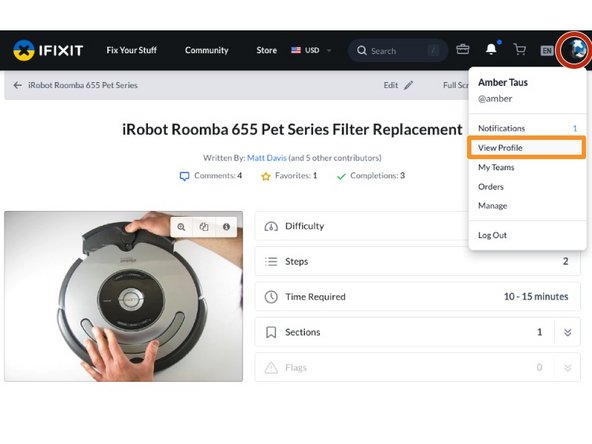
To view your profile page, click on the user menu in the right corner of the site header.
-
Select View Profile from the drop-down menu.
-
-
-
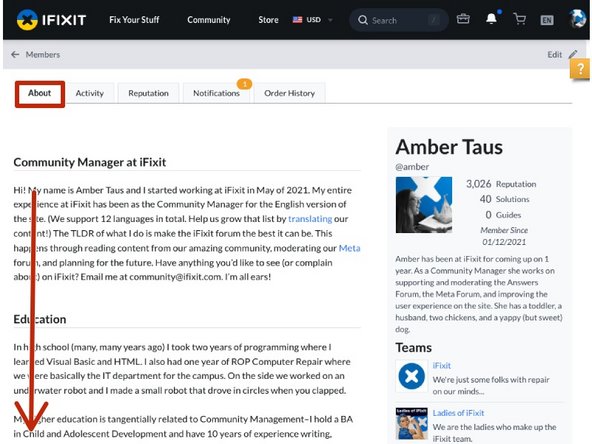
Your profile page will open under the About tab of your profile page, in the upper-left of the page.
-
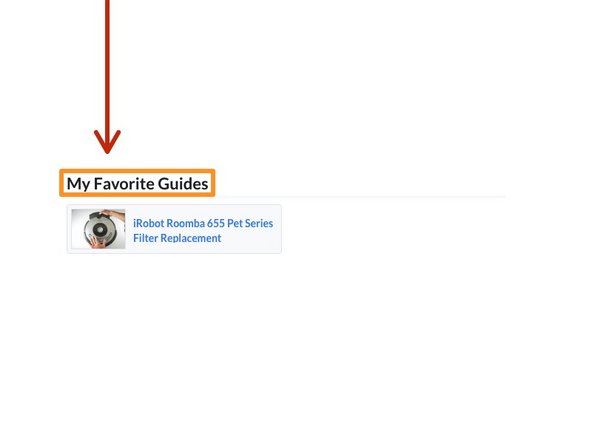
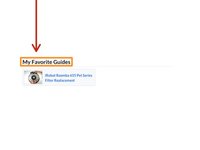
Scroll down to My Favorite Guides, below your unpublished and/or published guides.
-