
Dozuki Translation Tools allow you to display your site content in multiple languages, either with quick and easy machine translation or completely customized manual side-by-side translation pages.
Site Translations
The main site translation feature allows users to instantly translate the site interface into the following languages.
Languages
iFixit and Dozuki support machine translations from Google Translate. This means we have the potential to host ANY language supported by Google Translate on your site - over 80 languages.
The following languages are currently supported; however, if you are looking to translate your site into a language you don't see in the list below, feel free to contact Dozuki Support to request an addition to our current list.
In addition, iFixit uses a community contribution program to allow our community to help manually translate iFixit and Dozuki site interfaces. If you'd like to help contribute, feel free to visit. http://translate.ifixit.com/ to get started!
Currently Supported Languages:
 |  |  |  |  |
 |  |  |  |  |
 |  |  |  |  |
 |  |  |  |  |
 |  |
Machine Translation Feature
When translations are activated on your site, a flag icon will appear in the top menu bar. Click on this flag to view the languages offered on your site:
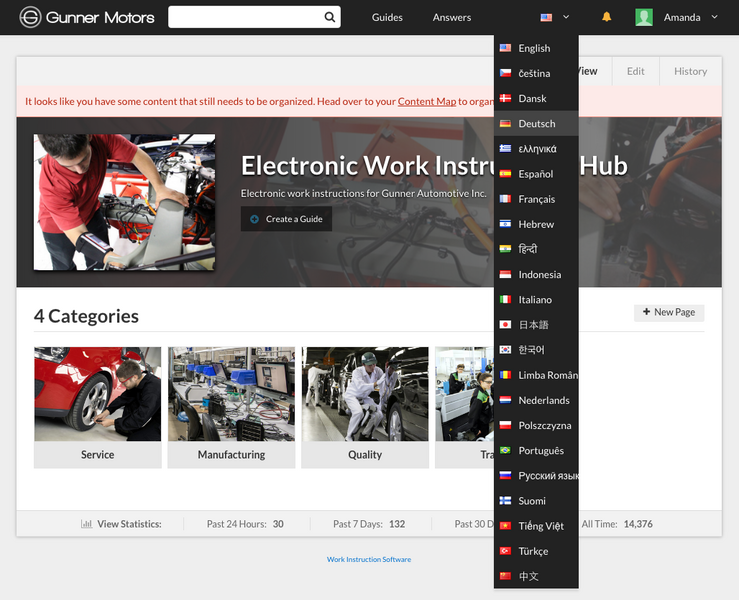
Language Selector Menu
Select a language and watch your site interface instantly refresh in the new language!
Machine Guide Translation
You can choose to instantly translate your guide pages using the machine translation menu. Simply check the box at the bottom of the language selector menu, and watch your guide page refresh in your selected view lanugage!

Translation Glossary
Machine translation isn't perfect (yet). Sometimes, you need certain terms or brand names specifically translated. Dozuki offers a handy Translation Glossary that allows you to add specific words and customize your translation for your entire site.
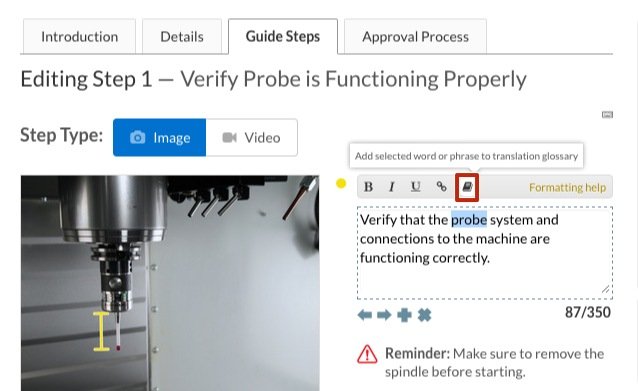
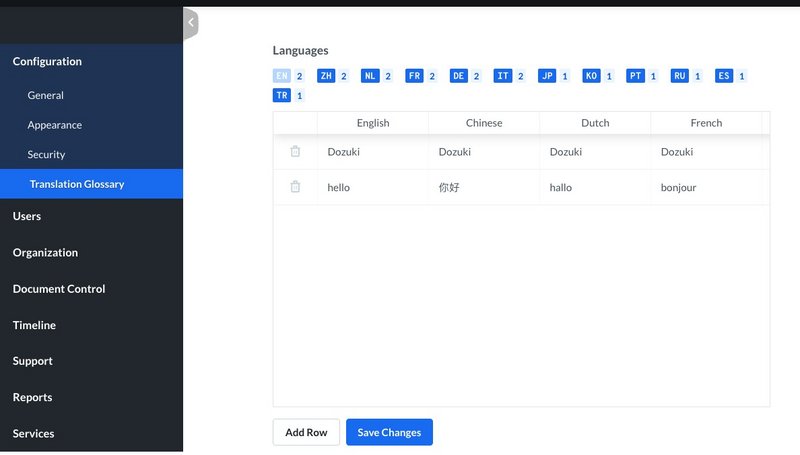
For more inforamtion about adding to and editing your translation glossary, take a look at the How to Manage Your Translation Glossary Guide Page.
Manual Page Translation
Category, Wiki and Item pages can be manually translated to ensure accuracy and customization. When viewing a page in a translation language (a language different than the site default language), privileged users will see a "Translate" tab a the top right corner of this page.
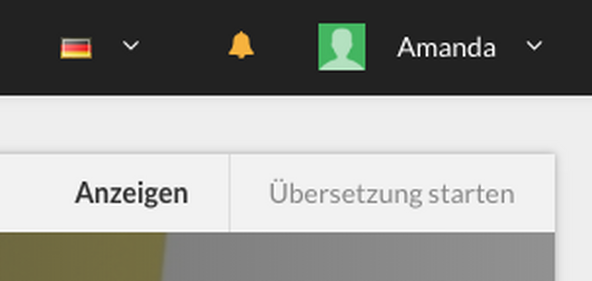
This allows privileged users to translate the page using a side-by-side view with the original page language and the current language selected for viewing the site.

Manual Guide Translation
Please note: Manual guide translation is NOT available for sites that with Version Control activated.
Manual Guide Translation allows privileged users to translate guide pages using the side-by-side view with the original guide language and current language selected for viewing.


