

How to View iFixit in Multiple Languages

Amber Taus and 2 other contributors
Last updated on Aug 24, 2026
Views: 20
View statistics:
- Past 24 Hours:
- 0
- Past 7 Days:
- 0
- Past 30 Days:
- 0
- All Time:
- 20
Comments: 0
No one has left comments on this guide. Will you be first?
Go to guide commentsCompleted: 1 2
1 person has marked this guide "completed." Will you be next?
2 people have marked this guide "completed." Including you — great job!
Favorites: 0 1
No one has favorited (and subscribed to) this guide. Will you be the first?
1 person has favorited (and subscribed to) this guide — and that's you!
Introduction
Go to step 1 ↓Use this guide to view iFixit's interface and repair content in different languages.
The language menu controls the interface language and which content-language versions appear. A guide or wiki can have a source version, a community translation, or a clearly labelled automated translation. Browser translation is a separate feature provided by your browser.
-
-
-
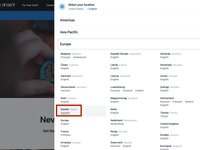
Click the globe icon to expand a Language Menu in the header.
-
-
-
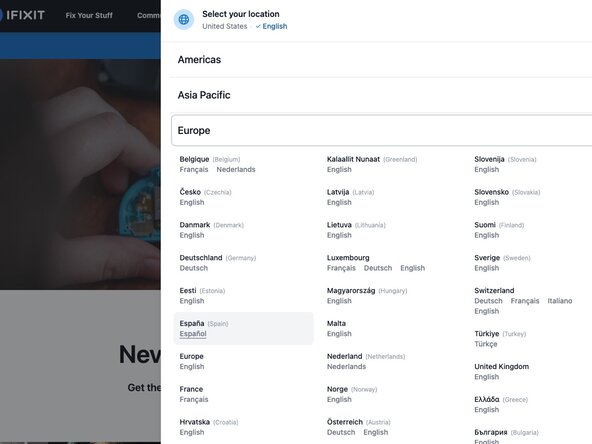
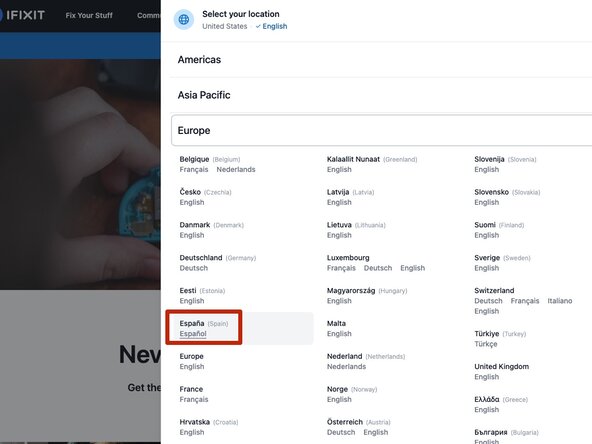
Select your desired language anf location.
-
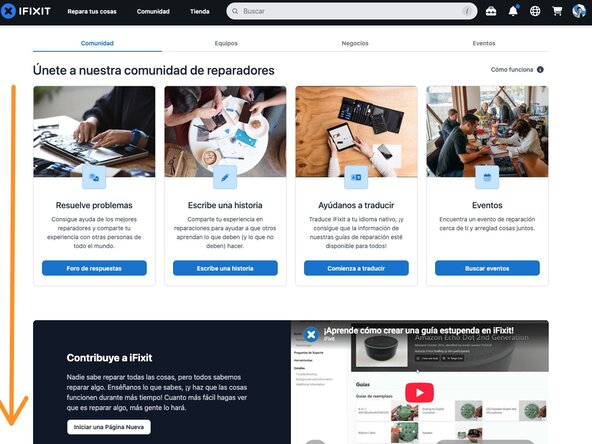
The site interface is now in the selected language.
-
-
-
If iFixit doesn't offer the language you need, your browser may be able to translate the page.
-
Browser translation is separate from an iFixit language version. Browser controls vary, so check your browser's language or translation settings.
-
-




Cancel: I did not complete this guide.
One other person completed this guide.
